Welcome to my audio-blog!
Here I'll post shootouts, some personal audio-research and more. Studio-related stuff mostly.

Friday, September 9, 2011

Gap 73 vs. Art Mpa and Mackie Onyx

This time I'm checking out the Golden Age Project  Gap73-preamp.

The Gap73 hit the market a couple of years ago. It has been praised for being a quality preamp with a very moderate price tag ($300).

I'm testing it together with my other preamps, so these are the contenders:

  • Gap 73 (main object of the test)
  • Art MPA
  • Mackie Onyx 800r
Gap73
Art Mpa

Mackie Onyx 800r
Nt5-1: Mpa Gap73
Nt5-2: Onyx Gap73
C1jjMod, Gap73: Trim17 Trim12 Trim9

You'll find wav 16bit and mp3 -files Here
Additional folders: Cad M179  Sm58  Elguitar(DI)  Bassguitar(DI)

Technical details:


Path:
Nt5 (matched pair) > Mpa > Rme Hdsp 9632
Nt5 (matched pair) > Gap73 > Rme Hdsp 9632 (#1 goes with the Mpa, the other with the Onyx)
Nt5 (matched pair) > Onyx > Mackie Onyx 800r

Recorded within 1,5dbFS, normalized to same RMS-level (100ms window)
Mpa: +20db, impedance 3 o'clock, Sovtek tubes
Gap73: Trim 12 o'clock

And I've added some more tests of the Gap73:
Studio Projects C1 jj mod > Gap73 > Rme Hdsp 9632
-> 3 trim/gain-positions

Recorded within 2dbFS, normalized to same RMS-level (100ms window)


The additional folders: No identical takes
El. guitar, Yamaha Pacifica 112J, DI, pickup middle, Earnie ball 10
Bassguitar, Morgan YB-48, DI, picup 50/50 neck/bridge


Update:
I've added some new files, see additional folders.


Conclusions:
- I didn't fancy the Gap73-sound that much, kind of new that..
- The Gap73 wasn't the best match for my C1 jj mod, as both are a little dark.
- The gap73 sounded very nice on BassDI, and SM58 dynamic mic.
- Learned: "Trust your ears Luke"


Gearslutz: Thread here

Monday, May 30, 2011

Reaper search

This is a tool for Reaper-users.
Here you can search Cockos.com with forums and the wiki.

Saturday, January 29, 2011

Snare Cajun: MILLENIUM CA1

This is a short review of a Snare Cajun, the MILLENIUM CA1

In short a Cajun is simply a wood-box, with a hole in the back. Snare Cajuns in addition have something like a snare strainer (see picture) to add a sound like a snare-drum.

The CA1 is a budget Cajun (paid EUR63 + shipping), and I feel I got a lot of value for the money. It's a simple construction -plain  with one snare strainer.
It gives moderate of snare sound, other models will give more. But, it's no better than, it's just taste.
Bass-sound is nice, I can't complain.
Overall nice, and for the price -yes, very good value.

You'll find some more info and audio-clips here

Tuesday, January 25, 2011

Mics: C1, Mk-012 JJ mod, STC-2, M179, NT5

I've tested some new mics.

Up for test are these three LDs:
  • Sontronics STC-2
  • Studio Projects C1 JJ mod
  • CAD M179 
Files here   (Gearslutz)

and these two SDs:
  • Oktava MK-012 JJ mod
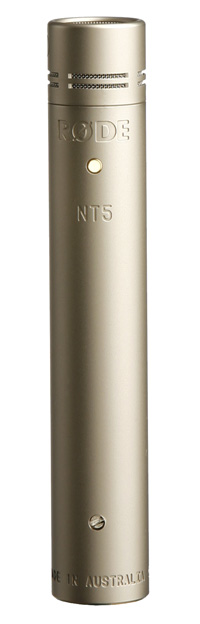
  • Røde NT5
Files here  (Gearslutz)

First impression:
C1 JJ mod seems very nice, rich bass (a little bump there maybe), balanced and nice
STC-2: A little thin, some hard hi-mid
M179: Nice and balanced
MK-012 JJ mod: Balanced, some more bass than the NT5
NT5: A little sharper than the MK-012


    Friday, August 13, 2010

    Reaper (DAW)

    I've been using Raper for a while now,
    and I'm impressed..

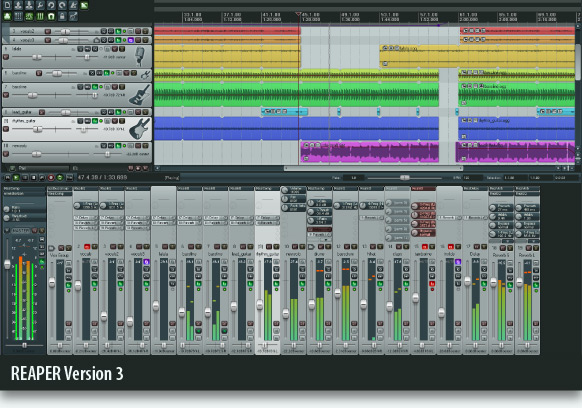
    Reaper is a DAW (the software of an Digital Audio Workstation) and handles audio and midi in a very good way. It's cheap, and there's a good community-feeling around it.


    To me Reaper shows some times of being younger than the established Daws (as Sonar, Cubase and so on), but has some really nice functions in it like:
    - Queed Rendering. Line up all tracks/mixes you want to mix down/freeze. Hit "render all", go for a cup of tea, and there it is, finished.
    - Routing matrix
    - Nested folders
    - Deep action menu with customized shortcuts.
    - Long list of keyboard-shortcuts, with full customization.
    - And a lot small this and that, that just makes life easier :)

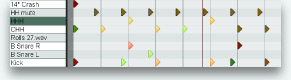
    The midi editor


    So, many DAW's can do somthing similar. Why should I try Reaper? Well, to me it's three main reasons:
    • It's cheap, and has a discount for small business/personal use
    • Cockos, the small company that makes Reaper, seems very nice to me. So, as example, the demo you can download is not crippled in any way. Technically you can use the demo-version for ever.
    • The development of Reaper is in very close contact with their users. So, it's a little less "they and us".
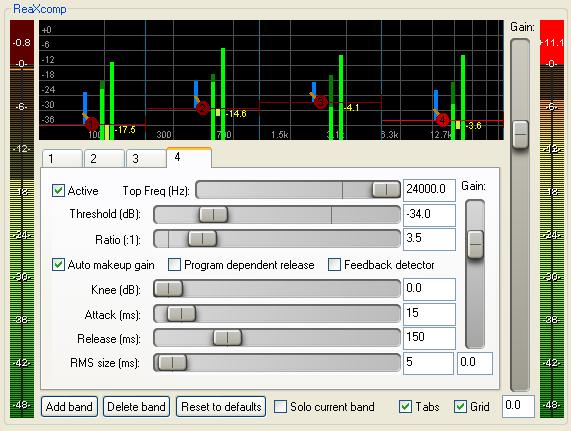
    ReaXComp, one of the plugins in Reaper

    The only thing I really miss at this moment is full support for making audio time-stretch to advanced tempo-changes. But I believe this is coming soon. And, there is a workaround..

    Tuesday, August 10, 2010

    Reaper: ReaDynamicEq

    I've made a preset/fx-chain for a Dynamic Equalizer in Reaper
    -ReaDynamicEq.

    What it is:
    A Dynamic equalizer are used instead of an ordinary Eq when the chosen frequency needs to be tamed only at certain levels. So, it's sometimes less Eq, sometimes more.

    Download here:
    ReaDynamicEq -1band
    ReaDynamicEq -3band

    Download and installation:
    • Download the above files (save link as)
    • Copy to your "FxChains" -folder
      (Example: "C:\Documents and Settings\YourName\Application Data\REAPER\FXChains\Dynamic Eq\")
    Now, in Reaper, on desired track:
    (This part is explained for the 1Band-version)
    • Right-click fx-button, navigate "add Fx Chain > Dynamic Eq > ... "

    This opens the Track fx Window. You'll see two ReaEqs, ignore the first (it operates in slave-modus).

    To adjust settings.
    On the second ReaEq:
    • Frequenzy/Bandwidth: Adjust as desired
    • Gain: Gain works only in slave-modus here, see below..

    Click on Gain, then "Param > Parameter Modulation". This will open the "Parameter Modulation for ReaEq"
    • .. baseline value: Adjust fixed band-gain here
    • Attack/Release: Adjust to taste
    • Min volume: Sets the Threshold (low) for when the gain-reduction should be applied
    • Max volume: Sets the Threshold (high) for when max gain-adjustment is reached
    • Strength: Sets the amount of gain-reduction (20% typically gives 4.4db reduction above Thres-high)

    Tips:
    1. Set Min and Max volume to zero and adjust Strength to get a clear view of how much gain-reduction a certain Strength-setting gives. 
    2. If you're used to tweaking with added gain, do that with ".. baseline value".
    3. Leave Max Volume at 0db for a more normal mode, or adjust downwards to give the compressor a more range-character. Adjust Strength accordingly.
    4. Add bands in the Eq to combine the dynamic band with normal EQ-bands.
    5. If you want to use shelving bands, you'll have to set the corresponding slave eq-band to "high/low-pass"

    Enjoy!

    Saturday, August 7, 2010

    A vocoder :)

    My favorite audio-instructional-video: